How it works
How Scopey fits together — from the first stroke on the design to a finished course shared online.
What is Scopey?
Scopey is a course-design app for equestrian jumping: you draw course designs right on your phone or tablet and share them with riders, crew and organisers.
Three steps: Design → Layout → Export
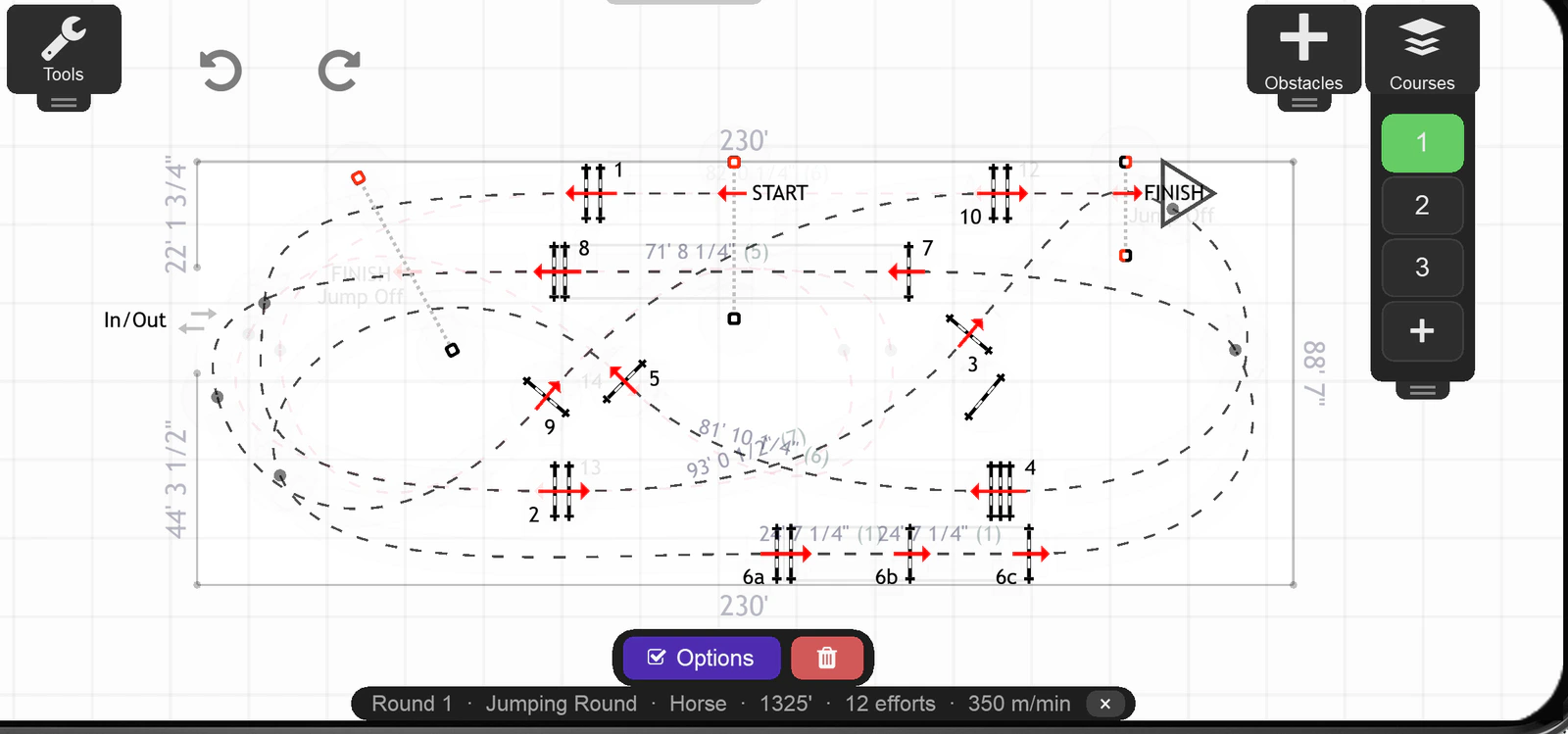 Design Draw the course itself — place obstacles, draw
tracks and build rounds. Distances, striding and time analysis
are computed for you as you draw.
Design Draw the course itself — place obstacles, draw
tracks and build rounds. Distances, striding and time analysis
are computed for you as you draw.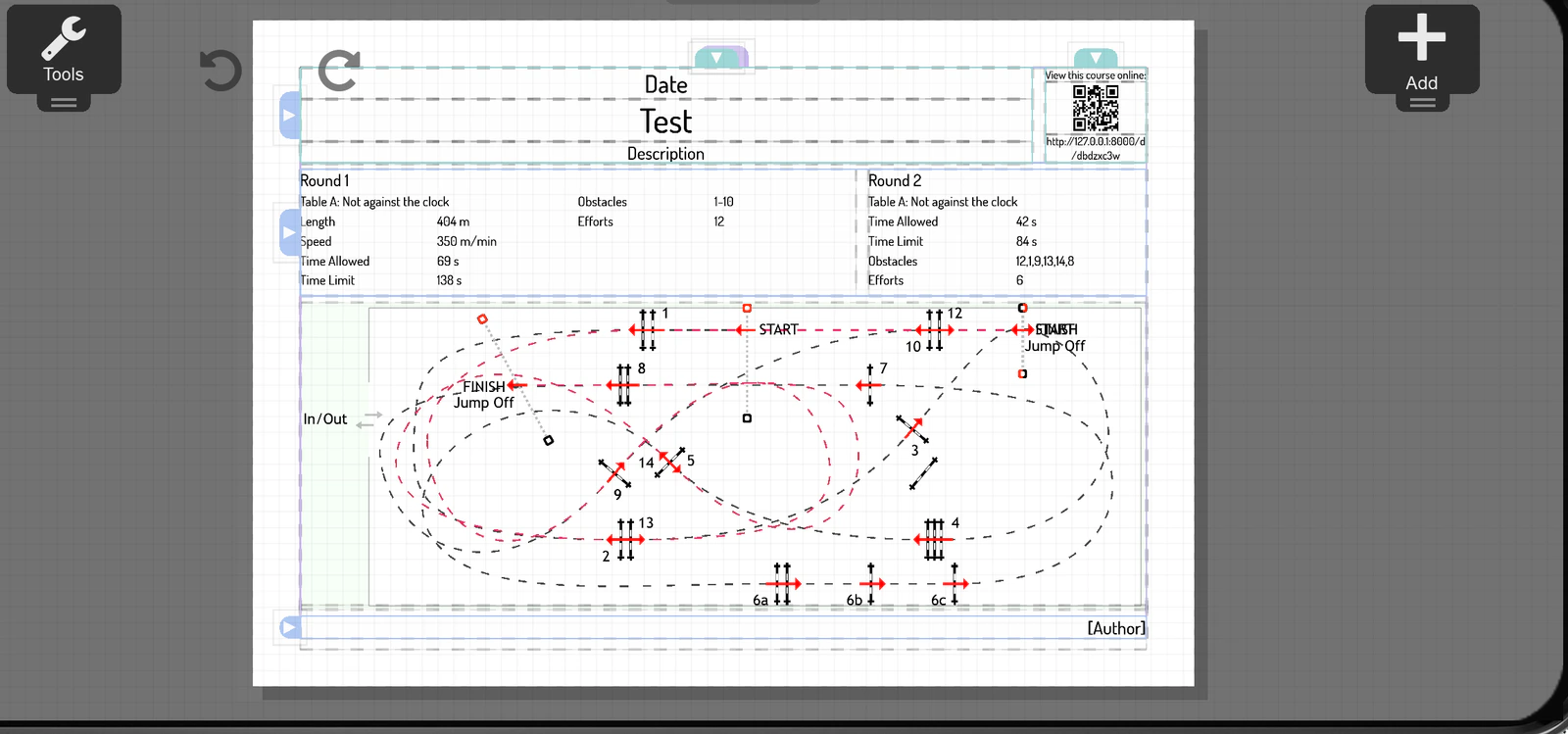 Layout Compose pages for print and sharing, with widgets
like the course map, course data, obstacle data, texts, images
and a QR code. Built-in templates give you a complete course
design from the start.
Layout Compose pages for print and sharing, with widgets
like the course map, course data, obstacle data, texts, images
and a QR code. Built-in templates give you a complete course
design from the start.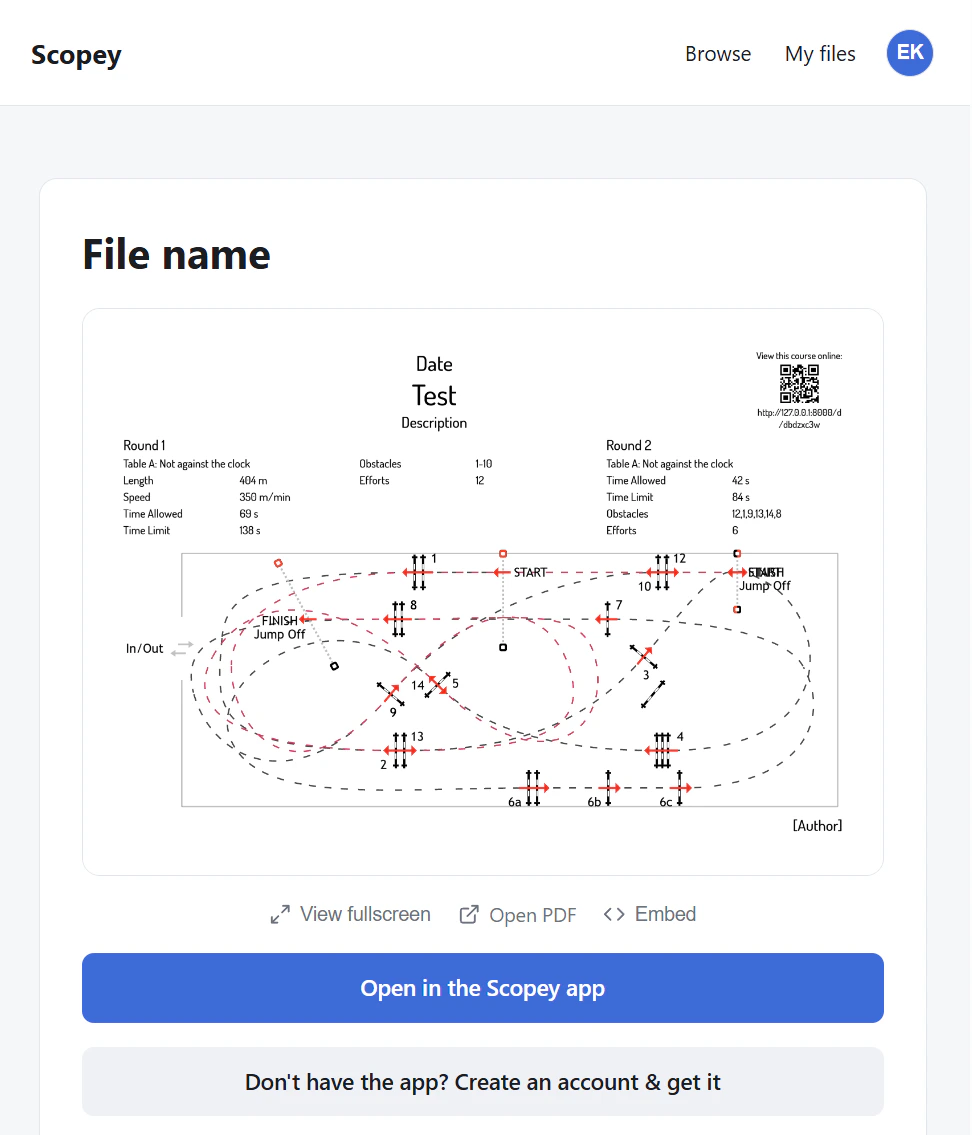 Export Download as image or PDF to your device — or
share the course online with a QR code and link.
Export Download as image or PDF to your device — or
share the course online with a QR code and link.
What the app does
Create
- Draw wherever you are Sketch on the sofa at home or out at the show ground — the whole course build on a phone or tablet.
- Obstacles & rounds Obstacle library, combinations, tracks and several rounds in one design.
- Automatic course data Course length, speed, time allowed and obstacle tables generated from the design.
Reuse & collaborate
- Your own templates Save your own templates and reuse your favourite setup in the next design.
- Clone files Copy course designs — handy for shows with many classes or when you often build at the same venue.
- Build on each other's ideas Let others save your shared courses and clone them for their own changes — and share the result back to you.
Print & share
- Print-ready pages Templates for the course plan and the work plan — ready for the notice board.
- Image & PDF Export to Photos, Files or email — or download from the shared page.
- QR sharing Scan the code at the arena and see the design right in the browser — from there, open the file in Scopey or get the app.
Settings & account
- Make it yours Metric or imperial units, several languages, theme colours and adjustable text size.
- Local without an account Draw, lay out, export image/PDF, your own templates — everything stored on your device. The app has no login gate.
- When an account is needed Only when the server must know who you are — sharing online, your files on the web, profile page, saving others' designs.
Learn more
True to scale
The course design is true to scale — the drawing matches the real arena. Obstacles can be adjusted in width, length and height, including the size of the wings, and everything renders to scale in the design. What you measure in the drawing is what you build on the arena.
Distance table
Distances between obstacles read as canter strides through an adjustable distance table: pick the right stride length for horse or pony and control how combinations and obstacles at related distances are grouped. Distances are measured from the design as you draw, and display in your chosen unit.
Units
Choose metric (m, cm) or US/Imperial (ft, in) — obstacle measurements and distances display in your unit, with imperial values neatly rounded to quarter inches (3' 6 1/2"). Speed is always shown in m/min and course length in metres — the international standard (FEI) worldwide, including the US. Units apply at viewing: everyone reads a shared course design in their own unit.
Scopey is under development. Join the list and we'll let you know when there's something to try.